The short answer, before the detail
Hiring turns one job into four, and most of the expensive mistakes in this category come from buying one tool and expecting it to cover all four. Payroll files taxes. HR software holds records. Scheduling captures hours. A payment rail moves the money. Very few products do more than two of those well.
If everyone you pay is a US employee, your purchase is payroll and the rest can wait. If you are hiring people who live in other countries, your purchase is an employer-of-record or contractor platform, and US payroll software will not help. If your team is hourly, your purchase is scheduling and time tracking, because that is where wage disputes start.
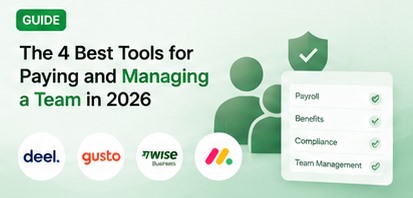
The four picks above answer the four jobs separately: Deel for hiring across borders, Gusto for US payroll, Wise Business for moving money, and monday.com for managing the work once people are hired.
This guide deliberately does not quote prices. Pricing here changes often enough that a number printed on this page would be wrong by the time you read it - open the vendor's pricing page and check the figure for the plan you actually want. What follows is the part that does not go stale: which purchase to make first, and what to look for when you get there.
Hiring is four purchases, not one
The useful way to think about people-ops software is by what breaks when you get it wrong, because the four jobs fail in completely different ways.
Payroll fails legally. A missed filing or a wrong withholding is a penalty from a tax authority, and the cost does not scale down with the size of your team. This is the one job where saving a few dollars a month is a bad trade.
HR records fail slowly. Nobody notices a missing signed offer letter or an unlogged PTO balance until there is a dispute, at which point the absence of the record is the problem.
Scheduling and time tracking fail in money. Hours captured wrongly become wages paid wrongly, in both directions, every pay run.
Payment rails fail quietly. A percentage spread on a cross-border transfer never arrives as a bill, which is exactly why it goes unnoticed for years.
Those four failure modes do not share a buying process. Payroll is a compliance purchase, HR is a record-keeping purchase, scheduling is an operations purchase, and the rail is a treasury purchase. Bundles exist, and some are good, but a bundle strong at one of the four is usually mediocre at the other three.
Which of the four you have to solve first
Five questions settle the order, and you can answer all five from documents you already have. None of them requires a demo call.
First, is anyone you pay a W-2 employee in the United States? If yes, payroll is urgent and nothing else here competes with it. If everyone is a contractor, payroll can wait.
Second, does anyone you pay live outside the country where your company is registered? If yes, you have a worker-classification problem that no payroll product solves, and the contractor section below is your section.
Third, is anyone paid by the hour? Go and look at how hours reach your pay run today. If the answer is a group chat or a paper sheet, scheduling software will pay for itself faster than anything else here.
Fourth, add up a year of bank fees, conversion losses and transfer charges connected to paying people, and compare that to a year of software. If the fees are larger, your problem is the rail and no HR software will touch it.
Fifth, could you produce a signed contract and a full pay history for every person, within an hour? If not, the HR record is your gap.
Most small employers find one acute problem and two latent ones. Fix the acute one, and resist the bundle that promises all four.
What to look for before you compare any two tools
Four things decide whether a people-ops tool is cheap or expensive for you, and none of them is the headline price. Check all four on the live pricing page before you compare any two products.
- The unit the vendor bills in matters more than the rate. Per-seat, per-employee-paid, per-contractor, per-location, per-company and per-transaction pricing all look alike on a pricing page and behave completely differently as you grow. Our reviews record the unit for each tool, because it outlasts the number.
- Seat minimums and seat blocks set a floor under your bill. Several products in this category will not sell you fewer than a handful of seats, or sell seats only in blocks, so a four-person team can end up paying for more seats than it has people.
- What the vendor files on your behalf is the entire value of payroll software. Anything it does not file, you file - and the pricing page is rarely the place that tells you which is which. Ask for the list in writing.
- Whether the tool holds the evidence trail decides what happens in a dispute. Signed offers, pay history, timesheet edits and who approved them are the records that matter, and the ability to export them matters as much as the ability to store them.
Why Deel sits at #1
Deel is first because it answers the hardest and most expensive version of the problem: paying someone who lives under a different set of employment laws than you do.
The structure worth understanding is that Deel sells several distinct things under one name. There is a contractor product, where you classify the worker yourself. There is a contractor-of-record product, where Deel takes on the classification liability instead. And there is employer-of-record and PEO employment, where Deel becomes the legal employer in a country where you have no entity.
Those tiers are priced per worker rather than per seat, and they rise steeply in that order, because what you are buying is not features - it is who answers to a labour authority if something is challenged.
That is also the honest argument for the expensive end: registering your own legal entity in a foreign market costs more than a platform fee in most countries.
What it is not is cheap, and because the model is per worker, your bill tracks headcount rather than seats. The Deel review has the pillar scores, and Deel vs Gusto is the read if your team is partly domestic.
Why Gusto sits at #2
Gusto is second because US payroll is the one job here with legal teeth, and Gusto is the option a small US employer is least likely to regret. Automatic tax filing at federal, state and local level is the feature that matters, because the alternative is doing it yourself and owning the mistakes.
It is also deliberately narrow. Gusto is US-only, so the moment you hire someone abroad it stops being the answer and the contractor platforms take over. Benefits administration and onboarding come bundled, which is genuinely useful for a first hire and redundant if you already run an HRIS.
The pricing model to expect is a monthly base fee plus a charge per person on payroll. That shape matters more than the current rate: it means your bill moves every time someone joins or leaves, and it means a very small team pays a meaningful amount per head.
We are not printing Gusto's current figures, because we did not read its pricing page for this edition. Check the base fee, the per-person fee, and the two charges covered further down this page before you sign. The Gusto review carries the pillar scores.
Why Wise Business sits at #3
Wise Business is third because it is the only pick here that attacks a cost rather than a task. It does not run payroll and it does not hold HR records. It moves money between currencies, and it is unusually willing to publish what that costs.
It earns a place on a people-management shortlist because cross-border pay is the one expense here that never arrives as an invoice. A bank's exchange-rate spread is deducted from the amount that lands, so it shows up as a contractor being paid slightly less than you agreed, not as a line item you review.
The model to expect is pay-as-you-go rather than a subscription: a percentage on sending and converting, specific fees for receiving certain payment types, and no monthly seat charge. Our product record lists the account itself as free to hold, which is why it sits alongside a payroll tool rather than competing with one.
Check the current send and convert percentages for your own currency pair, because they vary by corridor. Deel vs Wise Business sets out which job each does, and the Wise Business review has the scoring.
Why monday.com sits at #4
monday.com is fourth because managing the work is the job you can postpone longest and still survive. Nobody gets fined for a messy task list. But past about five people, work that lives in a group chat starts getting dropped, and that is the point at which this purchase pays.
It is priced per seat, which is the unit to think hardest about here. Per-seat pricing is forgiving for a three-person team and the single largest line in this stack by the time you have twenty people, so the question is not what a seat costs today but how many seats you will be buying in a year.
Two further things shape the real bill. monday sells several separate product lines under one brand, priced differently, so confirm you are reading the pricing for the one you actually want. And AI features in this category are increasingly metered as credits rather than included outright, which is a consumption cost rather than a subscription cost.
The flexibility is also the risk, because a blank board can absorb a week. Start from a template. The monday.com review covers the learning curve, and monday vs Todoist is the read if a shared task list would do - Todoist has a free tier and costs a fraction as much.
Payroll: the narrow purchase with legal teeth
Payroll software has one job: calculate correctly, pay on time, and file with every authority that expects a filing. Everything else a payroll vendor sells is wrapped around that core.
The structural point is that payroll is almost never a flat subscription. It is a base fee plus a per-person fee. That shape has two consequences: your bill changes every time your headcount does, and the per-person component is often charged on people actually paid in a period rather than people employed, so a seasonal employer sees a swinging bill.
The second decision is whether to buy payroll from your accounting vendor or separately. Same vendor removes a reconciliation step, a real saving in bookkeeping time - our QuickBooks Online review covers that side. Buying separately usually gets you a better payroll product.
Watch for payroll sold as an add-on, which is common among scheduling tools. Homebase is the clearest example in our reviews: payroll is priced on top of whichever plan you already have, so the plan price is not the payroll price. Confirm which filings are included at each tier.
HR records and onboarding, where the paperwork lives
An HR system is a filing cabinet with permissions. It holds signed offers, roles, salary history, PTO balances and the documents you are required to keep. It is boring until it is urgent.
For a team under roughly ten people you probably do not need a dedicated HR platform. A clear folder structure and a forms tool will cover it, and Jotform is a reasonable way to collect onboarding paperwork without buying a system.
Past that the case strengthens, and this is where pricing transparency collapses. HiBob is a well-regarded HRIS for growing companies, and our product record lists its pricing simply as custom - there is no public rate card.
That is normal at this end of the market, and it has a practical consequence: you cannot budget from a web page. Ask what implementation costs before you get attached to the demo.
The practical rule is to decide which records you must produce within an hour of being asked, then buy the cheapest thing that holds them with an audit trail. Features beyond that list are someone else's requirement.
Hiring: the tool you buy before anyone is on payroll
Applicant tracking is the one piece of people software you buy before you have people, and it is priced unlike everything else here: by hiring volume rather than by headcount.
Breezy HR is the clearest example in our reviews, and the structural detail is that tiers are drawn around how many roles you have open rather than how many colleagues use the tool. Our product record notes a free tier limited to a single open position. That is the right shape for this job - an applicant tracking system is worth what your hiring pipeline is worth, not what your headcount is.
It also means the tool is expensive to leave idle. If you hire twice a year, a careful spreadsheet and a shared inbox genuinely are cheaper, and nobody selling you an ATS will say so.
Expect onboarding, performance and messaging to be sold as separate modules rather than included, and expect at least one of them to carry no published price at all.
The honest test is whether you are losing good candidates to slow replies. If you are, the tool pays for itself quickly. If you are not hiring continuously, this is the purchase to defer.
Time and scheduling, if your team is paid by the hour
For hourly teams this is the highest-return purchase on the page, because it is the only one that changes the number on the paycheque rather than the admin around it. An hour recorded wrongly is wages paid wrongly, every single week.
Homebase is the shortlist entry, and its billing unit deserves far more attention than its feature list. Our product record notes that it is free for a single location and priced per location after that, with employee count largely unmetered above the free tier.
Read that unit carefully, because it inverts the usual maths. Per-location pricing with unlimited staff is generous for one site with thirty employees and punishing for three sites with four employees each. If you operate from more than one address, multiply before you compare it to anything priced per seat.
Expect the add-ons to be priced per location too, which multiplies the same way. Tip pooling, task management, hiring help and background checks are commonly separate line items rather than plan features.
If your team works at customer sites rather than your own premises, ServiceM8 is built for that job-scheduling problem instead.
Contractor payments, where classification is the real product
When you pay a contractor abroad, two separate things can go wrong and only one of them is about money. The transfer can be expensive, and the working relationship can be reclassified by a labour authority as employment. The second is the one that generates back taxes and penalties.
This is why contractor platforms charge what they charge, and why the price gap between their tiers is so wide. Deel publishes a self-classified contractor option and a contractor-of-record option side by side; the difference between them is not features but who carries the liability if the classification is challenged.
EasyStaff is the lower-cost alternative aimed squarely at freelancer payouts, and it is worth noting because its model is different again: our product record describes a percentage charged per transaction with no monthly seat fee. That is cheap for an occasional payout and expensive for steady high-volume payments, which is the opposite of how a subscription behaves. EasyStaff vs Deel sets out what each one actually covers.
If you pay a handful of long-standing freelancers in a single currency, a platform may be more than you need. The classification question is still worth answering in writing.
Managing the work, once people are hired
Work management is the most crowded part of this stack and the easiest place to overbuy, because every product in it can be made to look essential in a demo.
The price shapes diverge more than the feature lists do. Wrike and SmartSuite are both per-user products in our records, and both show the detail that catches small teams: tools at this end of the market frequently impose a seat minimum, sell seats in fixed blocks, or restrict better tiers to annual billing. A four-person team can end up paying for five seats, twelve months up front.
SmartSuite is worth a look if most colleagues only need to read or comment, because read-only and form-submitting users are often priced differently from editors - a distinction that can halve a bill and rarely appears in a comparison table.
If the real need is a shared task list, Todoist is far cheaper and has a free tier. Wrike vs monday, SmartSuite vs monday and our project management guide go deeper.
The fees to go looking for, none of which are in the headline price
This is the list we would most want a first-time employer to have: the categories of charge that sit outside the monthly figure at the top of a pricing page. We name the fee types rather than quoting amounts - look each one up on the current pricing page, because the amounts move and the categories do not.
- Per-contractor and per-worker fees, which scale with headcount rather than seats, so the bill grows even if nobody new logs in.
- Classification or contractor-of-record premiums, charged for transferring legal liability rather than for any feature. This is usually the single largest multiplier in global hiring.
- Additional-state registration and filing fees, charged per state you employ in. Hiring one remote employee in a new state can add a recurring charge to a US payroll bill.
- Off-cycle and corrected payroll run fees, for any pay run outside the normal schedule - including the correction run you will eventually need.
- Year-end filing fees for W-2 and 1099 preparation, sometimes bundled and sometimes billed per form.
- Implementation, onboarding and migration fees, most common at the HRIS end of the market where pricing is quoted by sales.
- International transfer costs in all four of their forms: a flat fee to send, a percentage of the amount, a separate fee to receive certain payment types such as wires, and the exchange-rate spread - which is the one that never appears on a statement.
- Card-acceptance percentages when you pay a bill by card rather than bank transfer. Our Melio review records card payments carrying a fee of roughly 2.9%, against free bank payments - on a large contractor month that difference is substantial.
- Transaction allowances and per-item overage charges, where a plan includes a set number of payments per month and bills for each one after that.
- Seat minimums, seat blocks and annual-only tiers, all of which set a floor under the bill that is lower on the pricing page than in your invoice.
- Per-location charges, including on add-on modules, which multiply for any business operating from more than one address.
- Monthly-versus-annual penalties, which are frequently large here. Keeping the option to cancel has a price worth knowing.
- Data export and offboarding costs - not always a fee, but ask the question. The record you cannot export is the reason people stay on tools they dislike.
Two mistakes that cost small employers the most
The first is buying the bundle you will need in three years instead of the tool you need this month. The pitch is that one platform covers payroll, HR, hiring, scheduling and performance, so you never have to migrate. In practice you pay for five modules, configure two, and still bolt something on for the job the bundle does badly.
Worse, the bundle becomes the thing you cannot leave, because your records live inside it. The cheaper path is to buy the one tool that solves your acute problem, keep your records exportable, and add the second when the second problem is real.
The second mistake is choosing a payroll or contractor platform on monthly price without checking what it files and who carries the liability. The gap between a contractor tier and a contractor-of-record tier is not a feature gap; it is who answers to a labour authority if a contractor is reclassified. A payroll product that does not file in a state you have just hired into is not cheap, it is incomplete.
Both mistakes share a root cause. The monthly figure is the easiest thing to compare and the least important.
The order to buy in
If you are hiring your first people and own none of this yet, the sequence below spends the least money for the most risk removed. It assumes you add tools as problems become real rather than buying ahead of them.
- First, settle classification in writing for every person you pay - employee or contractor, and under which country's law. This costs nothing and determines every purchase that follows.
- Second, buy payroll if anyone is a W-2 employee, or a contractor platform if anyone is abroad. This is the compliance purchase and the only genuinely urgent one.
- Third, fix how hours reach the pay run if anyone is hourly. Scheduling pays back fastest of anything here, because it changes wages paid rather than admin done.
- Fourth, look at a year of transfer fees and conversion losses before buying more software. If the rail is leaking, a cheaper rail beats another subscription.
- Fifth, add work management once more than about five people share deadlines, on the cheapest tier that covers your seat count and its seat block.
- Sixth, add a dedicated HR system only when you cannot produce a signed contract and a full pay history for everyone within an hour.
- Seventh, add applicant tracking only when you hire continuously enough that slow replies are costing you candidates.
- If you are not hiring at all yet, none of this is your next purchase - our back-office stack guide covers what comes first.
How these four were graded, and what this edition does not include
We should be precise about what this ranking is, because the category invites overclaiming.
Our four pillars are ease of use, features, value and support, each rated 1 to 5 and averaged onto a ten-point scale. The ranking reflects each product's documented model, scope and billing structure, and the judgement of which job it is the right tool for. No vendor paid to be included or ranked higher.
What this method does not include is the part that matters most and is hardest to buy. We have not run a live payroll cycle, triggered a tax filing, opened a support dispute, or onboarded an employee through an employer of record. Those tests reveal whether a product works on a bad day, and we cannot report on them.
For this edition we also did not read the vendors' live pricing pages, and we hold no paid account with any product here. That is exactly why you will not find a dollar figure in this guide. Printing a stale price as a current one is a worse failure than printing none, so we name the fee structures to check and leave the amounts to the source.
Treat this as a shortlist built from structure and scope. Price it yourself, on the vendor's page, on the day you decide.
Questions owners ask before they buy
Do I need both a payroll tool and a contractor platform? Only if your team spans both categories. One US employee plus three overseas contractors genuinely is two purchases, because nothing here does both jobs well at a small scale.
What does it cost to employ someone abroad without opening an entity? That depends on the country and changes regularly, so check the employer-of-record page for your market. Budget the platform fee plus salary plus statutory employer costs - the platform fee alone is never the answer.
Is there a free way to do any of this? Partly. Several tools here have genuine free tiers: scheduling for a single location, work management for a few seats, task management, and applicant tracking for one open role. None of them runs payroll, and that is the consistent rule in this category.
Should I pay monthly or annually? Annually, if the tool will survive a year of your business, because the gap is usually large. If you are unsure it will stick, treat the monthly premium as the price of being able to leave.
What is the cheapest honest stack for a first US hire? One payroll product and nothing else, until a second problem is real. For a distributed team our remote team guide covers the communication side, and the freelancer software guide is the better start if you still work alone.
The questions to answer before you sign
Take this list to the pricing page of whichever tool you are about to buy. Every one of these has cost a small employer real money, and all of them are answerable before you enter a card.
- What unit does this bill in - seats, employees paid, contractors, locations, company or transactions? Run that unit against your headcount twelve months out, not today's.
- What is the seat minimum or seat block, and am I above it? If not, the real price is the minimum, not the rate.
- What does this file on my behalf, and in which jurisdictions? Anything unlisted is yours to file.
- What does an additional state, country or location cost, and is that charge published anywhere at all?
- What does an off-cycle or corrected pay run cost, and what do year-end forms cost?
- What is the price after any promotional period, and on what date does the full price start?
- Which modules in the demo are separately priced add-ons rather than part of the plan?
- Who carries the liability if a contractor is reclassified as an employee - in writing?
- Can I export my full records - contracts, pay history, timesheets - without raising a support ticket?
- Is this tier annual-only, and what am I paying for the option to leave?
Bottom line
Buy for the job that breaks first. For a US team on payroll that is Gusto. For a team that crosses borders it is Deel, with the tier decided by who you want carrying the classification risk. For money that moves between currencies it is Wise Business. For work that keeps getting dropped it is monday.com, or Todoist if a shared list is really all you need.
The common failure is not picking the wrong product. It is buying three of the four before any of those three problems exists, and then discovering that the fourth was the one quietly costing money all along.
On price, we would rather be useful than precise-looking. A number printed here would be wrong by the time you read it, so this guide names the fee structures to check and sends you to the source for the amounts. If getting paid is the harder half of your problem, start with the invoicing and payment tools guide instead.
Last reviewed October 8, 2026. No live pricing pages were read for this edition, and no figures are quoted for that reason.


Community discussion
Tried any of these tools? Tell us which one worked best for you.